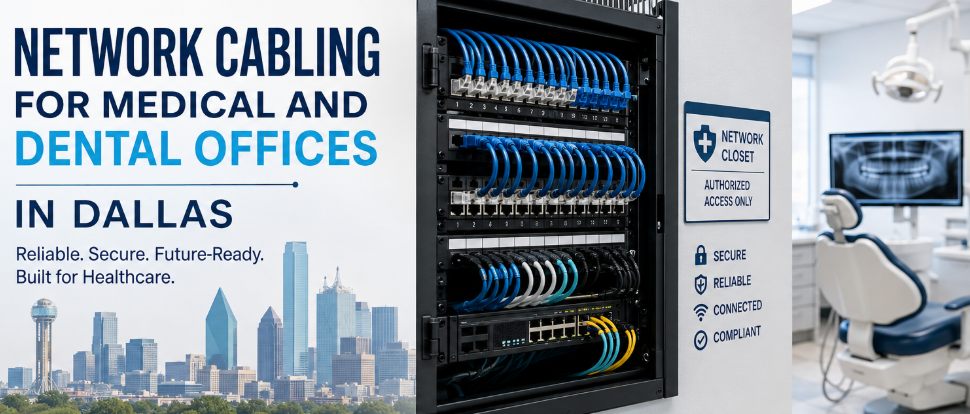
Medical office network cabling is the structured copper and fiber system that connects a clinic’s workstations, phones, Wi-Fi, imaging equipment, cameras, and door controls to a secured network closet. For a new Dallas medical or dental office, plan Category 6A to every work area, two cables per Wi-Fi access point, a locked and ventilated telecom room, and cabling tested and documented to current TIA standards.
This guide is for practice owners, office managers, IT providers, and general contractors planning a build-out, relocation, or upgrade in Dallas–Fort Worth. It explains what to install, why, and what the current standards and Texas rules actually say as of October 2026.
What Network Cabling Does a Medical or Dental Office Need?
A medical or dental office needs a structured cabling system: permanent cables from each room to a central closet, terminated on patch panels, tested, and labeled. Every networked device, from a front-desk PC to an intraoral sensor, plugs into this system. Done well, it is installed once and outlasts several generations of equipment.
Structured cabling, defined in plain terms
Structured cabling has three parts:
- Horizontal cabling: one cable per outlet, run from the wall or ceiling jack to the telecom room. Copper horizontal runs are limited to 100 meters (328 ft) per channel.
- Backbone cabling: links between telecom rooms or floors, often fiber.
- The telecom room (TR): the closet holding patch panels, switches, the firewall, and the internet hand-off.
Because everything returns to one patch field, adding a printer or moving an imaging workstation becomes a patch-cord change rather than a new cable pull.
How clinic cabling differs from ordinary office cabling
Healthcare cabling differs from a standard office in four ways: more connected devices per room, heavier data loads, stricter physical-security expectations, and installation in spaces that may be clinically active.
- Density. An exam room or operatory can hold a workstation, a wall-mounted display, a phone, a vitals monitor, and a printer. A typical office desk has one or two devices.
- Data weight. Imaging files (digital radiography, CBCT, ultrasound) move across the network all day. Slow links show up as waiting chairs.
- Physical security. The network closet holds systems that touch electronic protected health information (ePHI), so access to it matters under HIPAA.
- Clean installation. Work in an open practice must control dust and avoid patient areas during hours.
The healthcare cabling standard itself grew out of this gap. Healthcare end users asked TIA for it because the general commercial standard.
Which Standards Govern Healthcare Network Cabling?
Three documents govern healthcare cabling in the U.S.: ANSI/TIA-1179-B for healthcare facility infrastructure, ANSI/BICSI 004-2025 for design best practices, and ANSI/TIA-568.2-E for copper cable performance. These are voluntary industry standards; building and electrical codes, such as the NEC, are what inspectors enforce.
ANSI/TIA-1179-B for healthcare facilities
The Telecommunications Industry Association (TIA) released ANSI/TIA-1179-B in June 2023, replacing TIA-1179-A. It sets requirements for cabling, topology, pathways, work areas, and telecom spaces across a wide range of healthcare facilities. It recognizes that outlet density should vary by room type; a waiting room and a procedure room do not need the same count. Earlier editions also recommended larger telecom rooms and diverse entrance pathways than typical office buildings.
ANSI/BICSI 004-2025 best practices
BICSI, the association behind the RCDD design credential, published ANSI/BICSI 004-2025 in 2026. It builds on TIA-1179 and goes beyond generic cabling to clinical systems such as nurse call, imaging, wireless, and security. Before this revision, industry coverage noted the update would make BICSI 004 usable for all healthcare facilities, not only hospitals, which makes it directly relevant to clinics.
ANSI/TIA-568.2-E and why “certified to 568-B” is a red flag
TIA published ANSI/TIA-568.2-E in late 2024, the current performance standard for twisted-pair cable and components. It absorbed new requirements for power delivery over cabling. According to Siemon, Category 5e, 6, and 6A links that claim compliance only with the previous 568.2-D edition may not meet the new DC resistance unbalance limits.
Practical implication: ask any bidder which standard edition their test reports reference. A quote that says “certified to TIA-568-B” names a standard that was superseded more than a decade ago.
How Many Network Drops Does Each Room Need?
Most Dallas clinics should plan two to four network drops per exam room or operatory, plus dedicated drops for every ceiling Wi-Fi access point, camera, and door controller. The counts below are planning starting points from common practice, not numbers set by a standard. Confirm them against your equipment list and future plans.
Medical clinic rooms
| Room | Suggested drops | Typical devices |
| Reception/check-in (per station) | 3–4 | PC, phone, label/receipt printer, card terminal |
| Waiting room | 1–2 + Wi-Fi | Check-in kiosk, signage display |
| Exam room | 2–4 | Workstation or wall arm, phone, vitals monitor, display |
| Procedure room | 4–6 | Workstation, monitors, equipment ports, spare |
| Nurse station/charting | 2 per seat | PCs, phones, label printer |
| Lab / point-of-care testing | 2–4 | Analyzer, PC, printer |
| Imaging (X-ray, ultrasound) | 2–4 | Modality, acquisition PC, spare |
| Provider offices | 2–3 | PC, phone, printer |
| Break room/staff | 1–2 | PC, display |
| Ceiling (per access point) | 2 | Wi-Fi access point |
Dental operatories, sterilization and imaging rooms
| Room | Suggested drops | Typical devices |
| Operatory (per chair) | 3–4 | Chairside PC, patient-facing monitor, intraoral camera/sensor PC, phone |
| Panoramic / CBCT room | 2–3 | Imaging unit, acquisition workstation, spare |
| Sterilization | 1–2 | Autoclave logging, tracking scanner |
| Lab/scanner room | 2 | Intraoral or model scanner, milling unit |
| Consult room | 2 | PC, display |
Two rules of thumb we recommend: run at least one spare cable to every clinical room, and confirm the network port location with the imaging vendor before walls close. Imaging installers often specify exact port positions.
Cat 6 vs Cat 6A for Medical Offices
Cat 6A is the better default for a new medical or dental office in 2026. It supports 10 Gb/s over the full 100-meter channel, handles higher Power over Ethernet loads with less heat build-up, and matches the cabling that Wi-Fi 7 access points expect. Cat 6 remains acceptable for short runs to low-demand devices.
| Factor | Category 6 | Category 6A |
| 10GBASE-T distance | Limited, short runs only | Full 100 m channel |
| Rated bandwidth | 250 MHz | 500 MHz |
| PoE++ (802.3bt) heat handling | Adequate in small bundles | Better in large bundles |
| Cable diameter | Smaller | Larger; needs more pathway space |
| Material and labor cost | Lower | Higher per drop |
| Best fit | Phones, printers, short runs | Wi-Fi APs, imaging, workstations, any new build |
Wi-Fi 7 access points and PoE power
Wi-Fi 7 (IEEE 802.11be) changes the cabling math at the ceiling. Siemon reports that flagship Wi-Fi 7 access points use two 10GBASE-T ports, and that standards including ANSI/TIA-568.1-E recommend two Category 6A or better runs to each access point. Enterprise APs such as Arista’s C460 series ship with dual 10G copper uplinks powered by 802.3bt PoE.
For a clinic, the implication is simple: pull two Cat 6A cables to every ceiling AP location now, even if today’s AP uses one. Re-pulling cable above a finished ceiling costs far more than the second cable.
When fiber belongs in a clinic
A single-suite clinic with one telecom room rarely needs fiber inside the suite. Fiber earns its place when:
- A horizontal run would exceed 90 meters of permanent link;
- The practice spans floors or buildings, needing backbone links between closets;
- The carrier hand-off or building demarc sits far from the suite.
How to Plan the Network Closet (Telecom Room)
A clinic’s telecom room should be a dedicated, lockable, ventilated space, not a shared janitor or storage closet. It holds the equipment that carries patient data, so access control, cooling, and power protection matter as much as rack space.
Use this checklist when the architect lays out the suite:
- Dedicated and locked. Badge or keyed access, limited to named staff and vendors.
- Sized for growth. TIA-1179 has long favored larger telecom rooms than office norms because device counts keep rising.
- Cooling. PoE switches powering APs, cameras, and phones produce steady heat. Plan supplemental cooling, especially in Texas summers when building HVAC is set back after hours.
- Power. A dedicated circuit and a UPS sized to keep phones, firewall, and core switch running through short outages.
- No water above. Avoid placing the rack under plumbing or condensate lines.
- Central location. Keep every horizontal run under 90 meters of permanent link.
- Labeling and documentation. A drop map posted in the room and a digital copy with the practice.
Low-Voltage Systems That Share the Cabling Plant
Most low-voltage systems in a modern clinic now run over the same structured cabling as the computers. Planning them together avoids duplicate pulls, crowded ceilings, and a closet nobody can trace.
| System | Typical cabling | Planning note |
| Workstations, EHR / practice management | Cat 6A | Drop at every charting position |
| VoIP phones | Cat 6 or 6A, PoE | One drop per phone; PoE budget at the switch |
| Wi-Fi access points | 2 × Cat 6A, PoE++ | Ceiling locations from a wireless survey |
| IP security cameras | Cat 6, PoE | Licensed installer required in Texas (see below) |
| Access control (doors, med rooms, TR) | Cat 6 + lock power | Coordinate with door hardware and fire alarm |
| Imaging (X-ray, pano, CBCT, ultrasound) | Cat 6A | Vendor-specified port location |
| Paging, overhead audio, sound masking | Speaker cable or IP audio | Privacy in consult and checkout areas |
| Digital signage, waiting-room TVs | Cat 6A (HDBaseT/IP) | Power and backing in the wall |
| Nurse/patient call (larger clinics) | Per manufacturer | Often a separate listed system |
| Fire alarm | Separate, listed cable | Never shares cabling with data; installed by a registered fire alarm contractor |
How Cabling Supports HIPAA Security Compliance
HIPAA does not specify cable types, but its Security Rule requires physical safeguards for systems that hold ePHI, and the network closet and its cabling are part of those systems. A locked telecom room, documented access, and labeled, segmented ports are practical ways a clinic meets those requirements.
What 45 CFR 164.310 actually requires
The HIPAA Security Rule’s physical-safeguards section, 45 CFR 164.310, requires covered entities to limit physical access to electronic information systems and the facilities housing them. It also calls for documenting repairs and changes to security-related physical components such as doors and locks, and safeguarding workstations that access ePHI. Several implementation specifications are addressable, meaning the practice decides how to meet them based on its risk analysis.
How cabling decisions map to those requirements:
- Facility access controls → a dedicated, locked TR with a visitor and vendor log.
- Maintenance records → a change log for patch-panel moves and door-hardware work.
- Workstation security → drops placed so screens in hallways and checkout areas face away from patients.
- Device and media controls → a documented inventory of switches, firewalls, and network storage.
Status of the proposed HIPAA Security Rule update (October 2026)
The January 2025 proposed overhaul of the HIPAA Security Rule is not final law. HHS moved its target for a final rule from May 2026 to July 2027 and reclassified it as a long-term action. OCR continues to enforce the existing rule. Treat any vendor claim that “the 2026 HIPAA rule requires” specific cabling as inaccurate.
Network segmentation starts at the patch panel
Segmentation means keeping clinical devices, guest Wi-Fi, cameras, and building systems on separate virtual networks (VLANs) so a compromise in one does not reach the others. The switch and firewall enforce it, but the cabling plan makes it manageable: color-coded or clearly labeled ports by function, and a drop map that tells your IT provider which jack serves which device.
The risk is real. The HIPAA Journal’s analysis of OCR data found large healthcare breaches have plateaued at roughly 700 to 750 a year, about two a day. Cabling does not stop hackers, but a well-documented, segmented network is easier to secure and audit.
Dallas Permits, Texas Licensing and Electrical Code
In Dallas, network cabling is governed by the state-adopted National Electrical Code, City of Dallas permitting, and Texas licensing rules for security systems. Requirements depend on scope, so confirm with the City before work starts. This section summarizes the rules; it is not legal advice.
2026 NEC in Texas
The Texas Department of Licensing and Regulation (TDLR) adopted the 2026 National Electrical Code statewide, effective September 1, 2026. North Texas cities note that permits applied for on or after that date must comply with the 2026 NEC. The NEC’s communications and limited-energy articles cover cable listings, plenum use, and firestopping, which affect how data cable is installed above Dallas office ceilings.
The City of Dallas issues electrical permits only to registered electrical contractors. Texas’s electrician-licensing law (Occupations Code §1305.003) exempts certain communications-circuit work, but where that line falls for your project is a question for your contractor and Dallas Development Services (214-948-4480).
Who may install cameras and access control in Texas
Under the Texas Private Security Act (Occupations Code chapter 1702), companies that install camera systems or electronic access control devices must be licensed through the Texas DPS Private Security Program. A construction-trade exemption applies only when a licensed companyinspects, certifies, and takes responsibility for the installation. Ask for the license number of whoever installs your cameras and door controls.
Plenum spaces and firestopping in Dallas office buildings
Many Dallas medical office buildings use the space above the ceiling as an air-return plenum. Cable in that space must carry a plenum rating (CMP). Every cable that passes through a fire-rated wall must be firestopped with a listed system, and the building’s own requirements may be stricter than code. Your contractor should know the landlord’s rules before bidding.
How a Medical Office Cabling Project Runs: A 7-Step Build-Out Timeline
Cabling in a tenant build-out happens in two visits: rough-in before drywall and trim-out after paint. Bringing the cabling contractor in during design, not after framing, is the single biggest factor in a clean project.
- Design review (during drawings). Confirm drop counts, AP locations, imaging requirements, and the TR layout with the architect, IT provider, and equipment vendors.
- Equipment list and vendor specs. Collect port locations from imaging, phone, and security vendors.
- Bid and scope. Compare quotes on the same drop count, cable category, and test standard.
- Rough-in (after framing, before drywall). Install pathways, low-voltage brackets, cable, and sleeves through rated walls.
- Trim-out (after paint). Terminate jacks and patch panels, mount racks, label every port.
- Testing and certification. Test every link with a certification tester to the TIA-568.2-E limits and deliver the results.
- Handover. Receive test reports, a drop map, as-built drawings, and warranty documents before final payment.
Working in an occupied practice
Upgrades in an open clinic need a different plan: after-hours or weekend work, phased rooms so the schedule keeps running, dust control and clean-up of ceiling tiles, and keeping existing phones and the EHR online until cutover. Large healthcare projects use formal infection-control risk assessments; smaller clinics should at least agree on containment and cleaning steps in writing.
What Drives the Cost of Clinic Data Cabling in Dallas
Clinic cabling cost is driven mainly by drop count, cable category, ceiling access, and whether the space is new or occupied. Comparing per-drop prices only works when every bid uses the same scope. [Add your own anonymized Dallas price ranges here if you have project data; do not estimate.]
- Drop count and density: the largest driver.
- Cat 6 vs Cat 6A: 6A costs more in material and labor.
- Ceiling type: hard-lid ceilings and plenum requirements add labor.
- Occupied space: after-hours work and containment raise labor cost.
- Telecom room build-out: racks, cable management, UPS, cooling.
- Testing and documentation: certification reports should be included, not optional.
- Related systems: cameras, access control, and AV quoted together reduce duplicate trips.
Common Cabling Mistakes in Medical and Dental Offices
- Bringing in the cabling contractor after framing, which forces surface raceway and missed locations.
- Using the janitor closet as the network room, sharing it with chemicals, water, and unrestricted access.
- One cable per Wi-Fi access point, limiting Wi-Fi 7 upgrades.
- Skipping certification testing and accepting “it lights up” as proof.
- No labels or drop map, so every move becomes a tracing exercise.
- Ignoring imaging vendor port specs until the unit arrives.
- Unlicensed camera or access-control installers, which conflicts with Texas law.
- Non-plenum cable above a plenum ceiling, a code and inspection failure.
How to Evaluate a Dallas Healthcare Cabling Contractor
Use this checklist when comparing bids:
- Names the test standard edition (ANSI/TIA-568.2-E) and provides full test reports
- Has designers or technicians with BICSI credentials (RCDD, Installer, Technician) or manufacturer certifications
- Holds a Texas DPS Private Security license if installing cameras or access control
- Is registered with the City of Dallas, or partners with a registered contractor, for any permitted work
- Describes how they work in occupied clinics (hours, dust control, cutover)
- Delivers labeling, drop maps, and as-builts
- Offers a manufacturer system warranty, and explains its terms
- Provides healthcare references [Company: add real, permission-granted references]
Frequently Asked Questions
How many network drops does a dental operatory need?
Plan three to four drops per operatory: chairside computer, patient-facing monitor, imaging sensor or intraoral camera station, and a phone. Add a spare for future equipment. Confirm with your imaging vendor, since some sensors and units specify exact port positions.
Is Cat 6 good enough for a medical office?
Cat 6 works for phones, printers, and short runs. For a new clinic, Cat 6A is the safer default because it supports 10 Gb/s across the full 100-meter channel and suits Wi-Fi 7 access points and PoE-powered devices.
Does HIPAA require a specific type of network cabling?
No. HIPAA’s Security Rule does not name cable types. It requires physical safeguards, such as limiting access to systems and facilities that hold ePHI. A locked, documented telecom room and labeled, segmented ports help meet those requirements.
Is the new HIPAA Security Rule in effect?
Not as of October 2026. The January 2025 proposal remains unfinalized, and HHS’s current target for a final rule is July 2027. OCR enforces the existing Security Rule.
Do I need a permit for network cabling in Dallas?
It depends on scope. Low-voltage work in a tenant finish-out is often reviewed with the overall project, and electrical permits in Dallas go only to registered electrical contractors. Confirm with Dallas Development Services before work starts.
Does my security camera installer need a license in Texas?
Yes. Texas requires companies that install camera systems and electronic access control to hold a license through the DPS Private Security Program, with limited exemptions for construction trades working under a licensed company.
When should cabling be scheduled in a build-out?
Involve the cabling contractor during design. Cable is installed at rough-in, after framing and before drywall, then terminated and tested after paint.
What should I receive when the cabling job is finished?
Certification test results for every link, a labeled drop map, as-built drawings, and warranty documentation. Keep copies with your IT provider and your HIPAA records.
Key Points for Practice Owners and Office Managers
- Plan Cat 6A to work areas and two Cat 6A runs to each Wi-Fi access point.
- Use current standards: TIA-1179-B, BICSI 004-2025, and TIA-568.2-E.
- Give the network its own locked, cooled, documented room.
- Confirm Texas licensing for cameras and access control, and Dallas permitting for your scope.
- Insist on certification test reports and a drop map before final payment.
 Verified Google Reviews