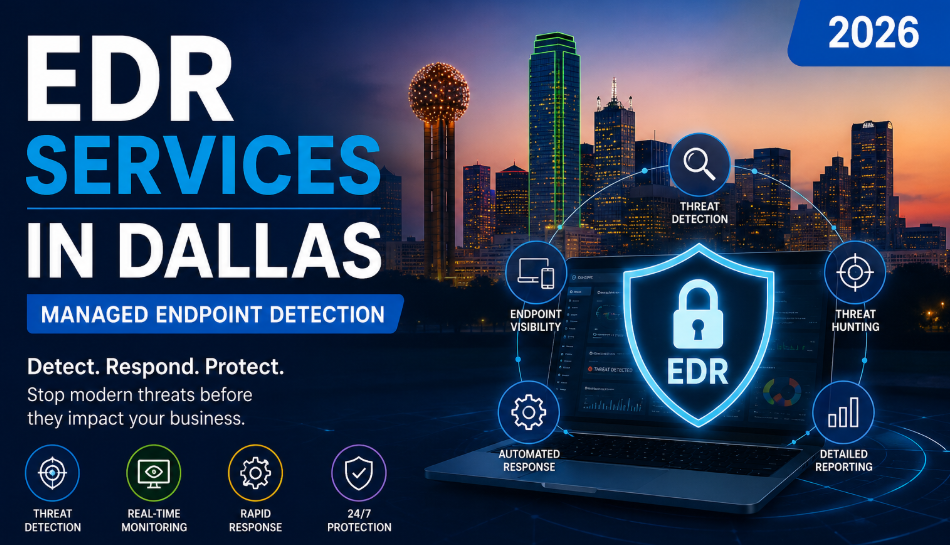
Quick Summary What it is: EDR (Endpoint Detection and Response) is security software that watches every computer, laptop, and server in your business, spots suspicious behavior in real time, and shuts down attacks before they spread.
Why it matters: Traditional antivirus only catches threats it already recognizes. EDR catches the new stuff — ransomware, zero-day attacks, and hackers who slip past your firewall.
Antivirus vs EDR: Antivirus asks “have I seen this file before?” EDR asks “is this behavior normal?” That difference is what stops modern attacks.
Cost: Usually billed per device, per month. Pricing depends on how many endpoints you have and whether you add 24/7 monitoring. (No fixed quote here — it varies by business size.)
Best option for most Dallas businesses: Managed EDR, where a security team monitors your alerts around the clock so you don’t have to.
Introduction: Why Dallas Businesses Can’t Rely on Antivirus Anymore
If you run a business in the Dallas–Fort Worth area, you’ve probably noticed the emails getting sneakier and the news getting scarier. Ransomware attacks on Texas businesses have climbed sharply, and the criminals aren’t only chasing hospitals and banks anymore. Law firms in Uptown, dental offices in Plano, HVAC companies in Garland, small retail shops on Greenville Avenue — all of them are targets, because attackers know smaller businesses often have weaker defenses and can’t afford much downtime.
Here’s the uncomfortable truth: the antivirus software that protected you five years ago can’t keep up with today’s attacks.
Old-school antivirus works like a bouncer with a photo book of known troublemakers. If the threat isn’t in the book, it walks right in. Modern attackers know this, so they constantly change their disguise. They use tools already installed on your computer, hide inside normal-looking files, and move quietly until they’re ready to lock up your data and demand payment.
That’s the gap EDR fills. And for most Dallas businesses, the smartest version is managed EDR — where a real security team watches your systems 24/7 so a 2 a.m. attack doesn’t turn into a Monday-morning disaster.
This guide breaks it all down in plain English: what EDR is, how it works, the threats Dallas businesses actually face, how it compares to antivirus and other options, and how to choose the right provider.
Need a straight answer about your current protection? If you’re not sure whether your business is running real EDR or just basic antivirus, Ighty Support offers a no-pressure security assessment for Dallas businesses. We’ll tell you exactly where the gaps are.
What Is Endpoint Detection and Response (EDR)?
Let’s start with the word “endpoint.” An endpoint is simply any device that connects to your network and can be attacked: desktops, laptops, servers, and sometimes phones and tablets. Every one of them is a door into your business.
EDR is software that guards those doors — and, more importantly, watches what happens after someone walks through one.
Think of it in four jobs:
- Detection — It watches the behavior on every device and flags anything unusual, even if it’s never seen that exact threat before.
- Investigation — When something looks off, it records what happened, where it started, and where it tried to go, so nothing hides.
- Response — It can automatically isolate an infected laptop from the rest of your network, kill a malicious process, or roll back changes — in seconds.
- Continuous monitoring — It never sleeps. It keeps a running record of activity so threats can’t slip through during off-hours.
A good way to picture it: antivirus is a lock on the front door. EDR is a lock plus security cameras inside the building, a guard watching the footage, and the ability to slam a fire door shut the moment someone starts acting suspicious.
Suggested image: A simple “How EDR Works” diagram — device → monitoring → detection → response → remediation.
Why Traditional Antivirus Is No Longer Enough
Traditional antivirus relies on signature-based detection. Every known virus has a “signature” — a digital fingerprint — and the antivirus compares files against a list of those fingerprints. If there’s a match, it blocks the file.
That works fine for old, well-known viruses. It fails badly against anything new or clever.
EDR uses behavior-based detection instead. It doesn’t need to recognize the specific threat. It notices when something acts like an attack — for example, when a Word document suddenly tries to encrypt hundreds of files, or when a normal user account starts poking around servers it never touches.
Here’s the side-by-side:
| Traditional Antivirus | EDR | |
|---|---|---|
| How it detects threats | Matches known “fingerprints” | Watches behavior in real time |
| New/unknown threats | Often misses them | Catches suspicious activity |
| Ransomware | Limited protection | Detects and can stop it mid-attack |
| Visibility | Just says “blocked” or “found” | Shows the full story of what happened |
| Response | Removes the file | Isolates the device, kills the process, rolls back damage |
| Best for | Basic protection | Modern business protection |
Modern attacks that slip past antivirus but get caught by EDR include:
- Fileless malware — attacks that run in your computer’s memory and never save a file to scan.
- Living-off-the-land attacks — hackers use legitimate built-in Windows tools (like PowerShell) so nothing looks out of place.
- Ransomware — which often behaves normally until the moment it starts locking your files.
- Insider threats — a disgruntled employee or a stolen password doing damage from inside your network.
Real-world example: A small Dallas accounting office had name-brand antivirus installed and felt covered. An employee clicked a fake invoice, and the attacker used built-in Windows tools to quietly spread. The antivirus never flagged it because no “known virus” was ever downloaded. EDR would have caught the unusual behavior — one account suddenly accessing dozens of files it never touched — and isolated that machine before tax-season data walked out the door.
How Endpoint Detection & Response Works (Step by Step)
You don’t need to be technical to understand the flow. Here’s what happens behind the scenes:
1. Discovery. The EDR platform maps every device on your network so nothing is left unprotected. You can’t defend a laptop you don’t know exists.
2. Continuous monitoring. A lightweight “agent” runs quietly on each device, recording activity — programs launching, files changing, network connections — without slowing anyone down.
3. Threat detection. Using behavior analysis and machine learning, the system flags anything abnormal, like a login from another country at 3 a.m. or a program trying to disable your backups.
4. Investigation. Instead of a vague alert, the platform (or your security team) sees the full timeline: how the threat got in, what it touched, and what it was trying to do next.
5. Automated response. This is the game-changer. The system can instantly isolate the infected device from your network, stop the malicious process, and block the attacker — often before a human even reads the alert.
6. Remediation. Finally, it cleans up: removes the threat, reverses changes, and helps get the device safely back to work.
Suggested image: A left-to-right flowchart of the six steps above (Discovery → Monitoring → Detection → Investigation → Response → Remediation).
The whole point is speed. In a ransomware attack, the difference between “contained one laptop” and “shut down the whole company” is often just a few minutes.
The Top Cyber Threats Dallas Businesses Actually Face
Cybersecurity advice often feels abstract. Let’s make it concrete with the threats we see hitting DFW businesses most often — and who they hit.
Ransomware. Attackers lock your files and demand payment. A Dallas warehouse or distribution center is a prime target: if your inventory and shipping systems go down, every hour costs money, so attackers bet you’ll pay fast.
Phishing. Fake emails that trick employees into clicking a link or entering a password. This is still the #1 way attacks start. A busy retail store manager clicking a “failed delivery” email is all it takes.
Business Email Compromise (BEC). Attackers impersonate an owner or vendor and request a wire transfer or a change of payment details. Corporate offices and professional services firms in Dallas lose real money to this every year — often five or six figures per incident.
Insider threats. Sometimes it’s a careless employee; sometimes it’s a stolen login. Either way, the damage comes from inside, where firewalls don’t help.
Zero-day attacks. Brand-new exploits that no antivirus has a fingerprint for yet. This is exactly where behavior-based EDR earns its keep.
Remote worker risks. A medical office with staff logging in from home laptops, or a construction firm with project managers working from job sites, has endpoints far outside the office walls. Each one needs protection.
USB attacks. An infected flash drive plugged into a warehouse or shop-floor computer can bypass network defenses entirely.
Supply-chain attacks. Hackers compromise a trusted software vendor to reach you. You did nothing wrong — the threat rode in on a program you already trusted.
The pattern across all of these: the attack usually starts small and quiet. EDR’s job is to notice the “quiet” part before it becomes loud.
Which of these is your business most exposed to? Dallas businesses rarely need protection against every threat equally — a warehouse and a law firm have very different risk profiles. Talk to Ighty Support about a tailored endpoint security review for your industry.
Key Features of Managed EDR (What You’re Actually Paying For)
Not all EDR is equal, and “managed” EDR adds a human security team on top of the software. Here are the features that matter, explained simply:
- Behavior analytics — Learns what “normal” looks like for your business, then flags anything that isn’t.
- Machine learning — Gets smarter over time at spotting new attack patterns without waiting for a fingerprint update.
- Threat intelligence — Pulls in global data about the latest attacks so your defenses stay current.
- Real-time monitoring — Watches every endpoint 24/7, including nights, weekends, and holidays (when attackers love to strike).
- Threat hunting — Skilled analysts actively search for hidden threats instead of only waiting for alarms.
- Device isolation — Instantly cuts an infected device off from the network to stop the spread.
- Incident response — A team that steps in to contain and clean up when something real happens.
- Automated remediation — Reverses damage and restores devices without manual rebuilding.
- Cloud monitoring — Extends protection to remote laptops and cloud systems, not just the office.
- Clear reporting — Plain-language reports you can hand to leadership, auditors, or your cyber insurance provider.
The “managed” part is the piece most Dallas small and mid-sized businesses need most. Buying EDR software and having no one watching the alerts is like installing a fire alarm and unplugging it because the beeping is annoying. Managed EDR means a real security team is on the other end.
Suggested image: A SOC (Security Operations Center) monitoring dashboard showing alerts and endpoint status.
EDR vs Antivirus vs MDR vs XDR: What’s the Difference?
These acronyms get thrown around constantly. Here’s the honest, no-hype breakdown:
| Antivirus | EDR | MDR | XDR | |
|---|---|---|---|---|
| Purpose | Block known threats | Detect & respond on devices | EDR plus a managed team | Connect data across email, cloud, network & devices |
| Detection | Signature-based | Behavior-based | Behavior-based | Behavior-based, cross-layer |
| Response | Remove file | Automated + manual | Handled by experts for you | Coordinated across your whole environment |
| 24/7 SOC team | No | Only if managed | Yes | Yes (when managed) |
| Automation | Minimal | High | High | Very high |
| Cost | Lowest | Moderate | Higher | Highest |
| Best for | Home users / bare minimum | Businesses wanting real endpoint protection | Businesses with no in-house security team | Larger orgs with complex, multi-layer environments |
Quick translation:
- Antivirus = basic lock on the door.
- EDR = cameras + smart alarms on your devices.
- MDR (Managed Detection and Response) = EDR and a security team watching it for you. This is the sweet spot for most small and mid-sized Dallas businesses.
- XDR (Extended Detection and Response) = the same idea stretched across email, cloud apps, and network — usually for larger or more complex organizations.
You don’t have to figure out which one you need on your own — that’s exactly the kind of thing a Dallas provider should assess based on your size, industry, and compliance needs.
Not sure whether you need EDR, MDR, or XDR? A short conversation usually settles it. Ighty Support will look at how your business actually works and recommend the right fit — without pushing you toward the most expensive option.
How AI-Powered Cyber Threats Changed the Game (and How EDR Keeps Up)
A few years ago, phishing emails were easy to spot — bad grammar, weird logos, obvious tells. Not anymore. Attackers now use AI to write clean, convincing emails, clone a CEO’s writing style, and even fake a voice on the phone to approve a wire transfer.
Malware has gotten smarter too. AI helps attackers create “polymorphic” malware that changes its own code every time it runs, specifically so signature-based antivirus never recognizes it twice.
Here’s the good news: EDR doesn’t care what the attack is called or how it was written. It watches behavior. A file can disguise itself a thousand ways, but the moment it starts encrypting your data or stealing passwords, the behavior gives it away — and that’s what EDR is built to catch. As attackers use AI to get sneakier, behavior-based detection becomes more important, not less.
A Real Ransomware Attack Lifecycle — and Where EDR Steps In
To see why EDR matters, follow a typical ransomware attack from start to finish. Imagine a mid-sized Dallas manufacturing company.
Stage 1 — The click. An employee opens a fake “updated purchase order” email and enables a macro. The attacker now has a foothold. → EDR intervention: Flags an unusual process spawned by a document and starts recording.
Stage 2 — Establishing control. The attacker quietly installs tools and creates a backdoor to keep access. → EDR intervention: Detects a program trying to gain persistence and raises an alert to the security team.
Stage 3 — Moving sideways. The attacker hops from that one laptop toward servers, hunting for valuable data and backups. → EDR intervention: Spots one account suddenly touching systems it never uses (abnormal lateral movement) and can isolate the device.
Stage 4 — Stealing data. Before locking anything, attackers often copy your data to blackmail you later. → EDR intervention: Flags large, unusual outbound data transfers.
Stage 5 — Encryption. The attacker triggers the ransomware and your files start locking. → EDR intervention: Recognizes mass-encryption behavior, kills the process, isolates affected machines, and can roll back changes.
Without EDR, most businesses only discover the attack at Stage 5 — when the ransom note appears. With managed EDR, a security team is usually alerted at Stage 1 or 2, long before the damage is done.
Suggested image: A ransomware attack lifecycle graphic with EDR intervention points marked at each stage.
Benefits of EDR for Dallas Businesses
Beyond “stops hackers,” here’s what EDR actually delivers for a local business:
- Less downtime. Contain an attack on one device instead of shutting down your whole operation.
- Easier compliance. Meet requirements for HIPAA, PCI-DSS, and similar standards with monitoring and reporting built in.
- Lower cyber insurance risk. Many insurers now require EDR — and having it can improve your rates and your odds of a claim being paid.
- Protection for remote workers. Every home laptop and job-site device is covered, not just the office.
- Reduced ransomware damage. Early detection and rollback can mean the difference between a hiccup and a catastrophe.
- Meeting client security requirements. Bigger clients increasingly ask, “Do you have endpoint monitoring?” before signing.
- Real visibility. You finally know what’s happening across all your devices.
- Business continuity. You stay open and serving customers even when someone tries to knock you offline.
Industries in Dallas That Need EDR Most
Every business benefits, but some carry more risk (and more regulation):
- Healthcare & medical offices — Patient data is gold to attackers, and HIPAA penalties are steep.
- Manufacturing & logistics — Downtime halts production and shipping; attackers know it and press hard.
- Financial & accounting firms — Money and sensitive records make them constant targets.
- Law firms — Confidential client data and wire transfers attract both hackers and BEC scams.
- Construction — Distributed job sites and mobile devices widen the attack surface.
- Retail — Payment systems and PCI-DSS obligations make endpoint security essential.
- Education — Lots of users, lots of devices, tight budgets — a tempting combination for attackers.
- Professional services — Client trust is the whole business; one breach can end relationships.
Signs Your Business Needs EDR Right Now
If several of these sound familiar, it’s time:
- You’re getting frequent phishing emails.
- You have remote or hybrid staff.
- You store sensitive customer, patient, or financial data.
- You have compliance requirements (HIPAA, PCI, etc.).
- Your cyber insurance is asking about endpoint protection.
- You’re still relying on basic antivirus.
- Your number of laptops, servers, and devices keeps growing.
Example: A growing Dallas retail store went from 5 to 25 registers and laptops in two years but never upgraded its security. That’s 25 open doors watched by antivirus that only recognizes yesterday’s threats. That’s exactly the profile EDR is built for.
Microsoft Defender vs CrowdStrike vs SentinelOne vs Huntress
These are four of the most respected names in endpoint security. There’s no single “best” — the right one depends on your business. Here’s a fair, plain-English comparison:
| Microsoft Defender for Endpoint | CrowdStrike | SentinelOne | Huntress | |
|---|---|---|---|---|
| Detection | Strong, tightly tied to Windows/Microsoft 365 | Excellent, enterprise-grade | Excellent, automation-focused | Strong, SMB-focused |
| Ease of management | Easy if you’re already on Microsoft 365 | Powerful but more complex | Streamlined | Very simple, built for small business |
| AI/automation | Solid ML detection | Advanced threat intelligence & hunting | Strong autonomous response & rollback | Human-led detection with automation |
| Response | Good, integrates with Microsoft tools | Fast, mature response | Automated isolation & rollback | Managed response by their SOC |
| Pricing feel | Often bundled with Microsoft licensing | Premium | Mid-to-premium | Budget-friendly for SMBs |
| Best for | Microsoft-heavy businesses | Larger or high-risk organizations | Businesses wanting heavy automation | Small & mid-sized Dallas businesses |
Learn more about Microsoft Defender for Endpoint directly from Microsoft.
The honest take: The tool matters less than who’s watching it. A budget-friendly platform with a great managed team beats an expensive platform nobody is monitoring. A good Dallas provider is vendor-neutral — they recommend what fits you, not what earns them the biggest commission.
Confused about which platform fits your business? That’s normal — the marketing all sounds the same. Ighty Support will walk you through the options in plain English and match one to your size, industry, and budget. No fixed-price sales pitch, just a straight recommendation.
How EDR Helps You Meet Cyber Insurance Requirements
Cyber insurance used to be easy to get. Now insurers ask tough questions before they’ll cover you — and they may deny a claim if you didn’t have the right protections in place.
Most policies now expect some combination of:
- Multi-factor authentication (MFA) on important accounts
- Endpoint protection — increasingly, EDR specifically, not just antivirus
- 24/7 monitoring and alerting
- A written incident response plan
- Logging of security events
- Reliable backups and a recovery plan
EDR checks several of these boxes at once. It provides the endpoint protection, the monitoring, the logging, and the incident response capability insurers look for. In many cases, having managed EDR both lowers your premium and strengthens your position if you ever need to file a claim. For a national reference on these practices, the NIST Cybersecurity Framework is the standard many insurers and auditors lean on.
The Real Cost of Not Having EDR
It’s tempting to see EDR as “another IT expense.” The better question is: what does an attack cost?
When a Dallas business gets hit without proper endpoint protection, the bill usually includes:
- Downtime — every hour closed is lost revenue. For a warehouse or medical office, that adds up fast.
- Recovery costs — IT emergency response, rebuilding systems, and forensic investigation are expensive.
- Ransom or extortion — and paying doesn’t guarantee you get your data back.
- Lost data — some businesses never fully recover files they didn’t back up.
- Reputation damage — customers and clients lose trust after a breach.
- Lost clients — especially in law, finance, and healthcare, where confidentiality is the product.
- Compliance fines — HIPAA, PCI, and other penalties on top of everything else.
Compared to those numbers, monthly EDR usually looks less like a cost and more like cheap insurance. (Pricing depends on your device count and whether you add managed monitoring — there’s no one-size quote.)
Choosing the Right Managed EDR Provider in Dallas
Not all providers are equal. Look for these before you sign anything:
- 24/7 monitoring — attacks don’t wait for business hours.
- A real SOC (Security Operations Center) — the team that actually watches your alerts.
- Certified security engineers — credentials and experience, not just a help desk.
- Clear, plain-language reporting — so you understand what’s happening.
- Fast incident response — with a defined process and response times.
- Compliance support — help meeting HIPAA, PCI, and insurance requirements.
- Vendor-neutral expertise — they fit the tool to you, not the other way around.
- Local Dallas presence — someone who understands the local business landscape and can respond quickly.
The EDR Implementation Process (What to Expect)
Rolling out EDR is smoother than most owners fear. A good provider follows a clear path:
- Assessment — Review your current setup, devices, and risks.
- Planning — Design the right coverage for your business.
- Deployment — Install lightweight agents on every endpoint.
- Policy configuration — Tune detection and response rules to your environment.
- Monitoring — Turn on 24/7 watching from the SOC.
- Testing — Confirm everything detects and responds correctly.
- Optimization — Reduce false alarms and fine-tune over time.
- Training — Help your team recognize threats and respond well.
Most deployments cause little to no disruption for your staff — the agents run quietly in the background.
Quick EDR Deployment Checklist
Use this to gauge your readiness (a printable version can be added to your site):
- [ ] Full inventory of all devices (laptops, desktops, servers)
- [ ] MFA enabled on key accounts
- [ ] Reliable, tested backups in place
- [ ] EDR agent installed on every endpoint
- [ ] 24/7 monitoring active
- [ ] Written incident response plan
- [ ] Remote/home devices covered
- [ ] Staff trained on phishing and reporting
Common Mistakes Dallas Businesses Make
Even well-run companies fall into these traps:
- Relying on antivirus alone — the #1 mistake in this whole guide.
- Ignoring alerts — buying EDR but having no one to watch it.
- No incident response plan — panicking when an attack hits instead of following a plan.
- No backups — leaving ransomware recovery to hope.
- No employee training — since most attacks start with a click.
- No monitoring after hours — when many attacks are launched.
- Falling behind on patches — leaving known holes open.
Decision Matrix: Which Level of Protection Fits Your Business?
Use this to get a rough sense of where you land:
| Your situation | Likely right fit |
|---|---|
| Very small office, low-risk data, tight budget | EDR (managed) at minimum |
| Store sensitive/regulated data (health, finance, legal) | Managed EDR / MDR |
| No in-house IT or security staff | MDR (managed for you) |
| Remote or hybrid workforce | Managed EDR with cloud coverage |
| Larger org, many systems, email + cloud + network | XDR |
| Cyber insurance requiring endpoint protection | Managed EDR / MDR |
When in doubt, most small and mid-sized Dallas businesses land on managed EDR (MDR) — real protection without needing to hire a security team.
Frequently Asked Questions
Is EDR worth it for a small business? Yes. Attackers target small businesses precisely because their defenses are weaker. Managed EDR gives you enterprise-level protection without an enterprise budget or in-house team.
How much does EDR cost? It’s usually billed per device, per month, and depends on how many endpoints you have and whether you add 24/7 managed monitoring. There’s no single fixed price — a quick assessment gives you an accurate number for your business.
Can EDR stop ransomware? It can detect ransomware behavior early and stop it mid-attack — isolating the device, killing the process, and often rolling back damage before it spreads across your network.
Does Microsoft Defender include EDR? Yes. Microsoft Defender for Endpoint includes EDR capabilities and is a strong choice, especially for Microsoft 365 businesses. The key is having someone actively monitor and respond to its alerts.
Is EDR required for cyber insurance? Increasingly, yes. Many insurers now expect EDR (not just antivirus) along with MFA and monitoring. Having it can lower premiums and strengthen a claim.
How long does deployment take? For most small and mid-sized businesses, initial deployment is quick — often days, not weeks — because the agents install quietly in the background with minimal disruption.
Can EDR replace antivirus? Modern EDR platforms include antivirus-style protection plus behavior-based detection and response, so they generally replace and upgrade traditional antivirus rather than run alongside it.
What happens when a threat is detected? The system alerts the security team, records exactly what happened, and can automatically isolate the affected device and stop the attack — then the team investigates, contains, and cleans up.
What’s the difference between EDR and XDR? EDR focuses on your devices. XDR extends that same detection-and-response approach across email, cloud apps, and network for a broader, connected view — usually for larger organizations.
Why Choose Ighty Support for Managed EDR Services in Dallas
When you’re protecting your business, you want a partner nearby who actually picks up the phone. Here’s what Dallas businesses get with Ighty Support:
- Local Dallas support — a team that knows the DFW business landscape.
- 24/7 monitoring — real people watching your endpoints around the clock.
- Fast incident response — quick containment when it counts.
- Microsoft expertise — deep experience with Microsoft Defender and the Microsoft 365 ecosystem.
- Compliance assistance — help meeting HIPAA, PCI, and cyber insurance requirements.
- Proactive threat hunting — actively looking for threats, not just waiting for alarms.
- Scalable solutions — protection that grows as you add devices and staff.
- Vendor-neutral advice — we recommend what fits you, not what pays us most.
Conclusion: Endpoint Protection Isn’t Optional Anymore
The way businesses get attacked has changed, so the way businesses defend themselves has to change too. Traditional antivirus was built for a slower, simpler era — one where threats had recognizable fingerprints and attackers weren’t using AI to slip past the front door.
Today, real protection means watching behavior, responding in seconds, and having a team ready around the clock. That’s what EDR — and especially managed EDR — delivers. It reduces downtime, helps you meet compliance and insurance requirements, protects your remote workers, and can be the difference between a minor scare and a business-ending event.
For Dallas businesses, the smart move isn’t waiting until after an attack to take endpoint security seriously. It’s getting ahead of it now.
Ready to find out where your business really stands? Book a free security assessment with Ighty Support. We’ll review your current protection, show you exactly where the gaps are, and recommend the right level of EDR for your business — no fixed-price sales pitch, no pressure. Protect your endpoints before someone else finds them first.
 Verified Google Reviews